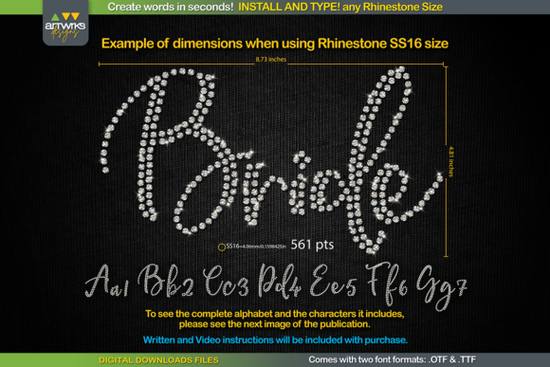
If you've ever tried to create rhinestone designs by hand, you know how tedious and time-consuming it can be. The RS01 Cursiva Rhinestone Template TTF Font solves that problem by letting you simply type any word, and every letter comes pre-filled with a perfect rhinestone or heat transfer vinyl layout. No tracing, no manual placement just install the font and start typing.
This makes it a practical tool for anyone running a small craft business, making custom T-shirts, or working with a Cricut or Silhouette cutting machine on a regular basis.
What Exactly Is a Rhinestone Template TTF Font?
A rhinestone template font is a special type of font where each letter is designed as a pattern of dots or circles that represent where rhinestones (or vinyl cutouts) should be placed. When you install the RS01 Cursiva Rhinestone Template TTF Font, you can type words in programs like Cricut Design Space, Silhouette Studio, Inkscape, or Illustrator. Each character automatically displays its rhinestone layout.
It comes in both .TTF and .OTF formats, so it works across Windows, Mac, iPad, and iPhone. You don't need any special plugin or extra software just a standard design program you're probably already using.
How Do You Use It With Different Rhinestone Sizes?
One of the most common questions crafters have is whether they can use different rhinestone sizes. The answer is yes. You just need to adjust the font point size in your design software to match the stone size you're working with:
- SS6 rhinestones: set font size to 359 pt
- SS10 rhinestones: set font size to 456 pt
- SS16 rhinestones: set font size to 561 pt
- SS20 rhinestones: set font size to 738 pt
These sizes ensure each dot in the letter aligns properly with the rhinestone size you're using. Keep in mind that the product listing includes images showing the actual letter dimensions, which can help you plan your design layout before cutting.
Does It Work in Cricut Design Space?
Yes, but there's one thing to be aware of. According to the creator, Cricut Design Space has recently had a quirk where it doesn't always maintain the recommended font sizes automatically. The good news is the product includes instructions on how to work around this, so you can still get accurate results.
The general process is straightforward:
- Close your design program before installing.
- Unzip the downloaded file.
- Open the .TTF file and click "Install" (or right-click and select "Install for all users").
- Reopen your design program.
- Type your word and select the rhinestone font from your font list.
- Adjust the point size based on your rhinestone size (see chart above).
- Send the design to your cutter and you're ready to create.
Who Is This Font Best For?
This type of font is especially useful if you:
- Run a print-on-demand or custom apparel business and want to add rhinestone text designs quickly.
- Make personalized gifts like blinged-out T-shirts, bags, or hats for events, teams, or bachelorette parties.
- Use a Cricut or Silhouette Cameo and want to speed up your rhinestone workflow.
- Are a hobbyist crafter looking for an easier way to create bling lettering without manually arranging stones.
The cursive style gives your designs an elegant, flowing look that works well for both casual and formal occasions.
How Does It Compare to Other Script Fonts?
If you like the cursive look but want options for other projects (not just rhinestones), there are some great script fonts worth exploring. For example, the Jaglend font duo pairs a script with a clean serif, which works nicely for branding and invitations. The Locked Whisper font has a more relaxed handwritten feel, while the This Mate font offers a modern calligraphy style. If you need something versatile, the Kayla font is a popular choice for logos and social media graphics. And if you're working on multiple projects at once, a handwritten font collection can save you money and give you more variety.
These are great for general design work, but for rhinestone-specific projects, a purpose-built template font like RS01 Cursiva is the way to go since the letter spacing and dot patterns are already optimized for stone placement.
Quick Checklist Before You Start
- ✅ Download and unzip the font files (.TTF and .OTF).
- ✅ Install the font before opening your design software.
- ✅ Know your rhinestone size so you can set the correct point size.
- ✅ Refer to the included images for letter dimensions.
- ✅ Follow the Cricut Design Space workaround if sizes shift unexpectedly.
- ✅ Test with a small word first before committing to a full design.
Tip: Save a blank template in your design program with the font already selected at the correct size. That way, you can jump straight into typing new words without re-adjusting every time. It'll save you a lot of time if you're filling custom orders regularly.
Learn More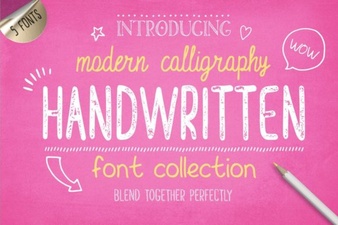 Beautiful Handwritten Font Collection for Creative Projects
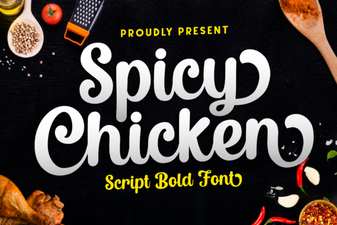 Spicy Chicken Font – Free Script Font Download
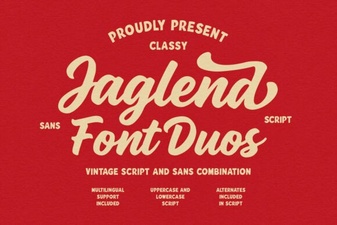 Jaglend Font Duo – Elegant Script Font for Creative Design
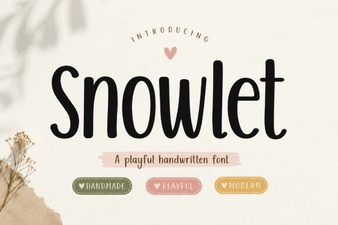 Snowlet Font Free Download – Elegant Script Typeface
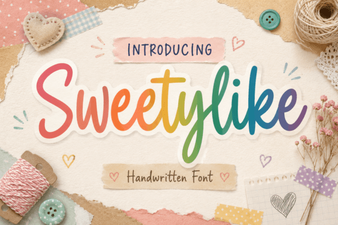 Sweetylike Font - Free Script Font Download for Elegant Designs
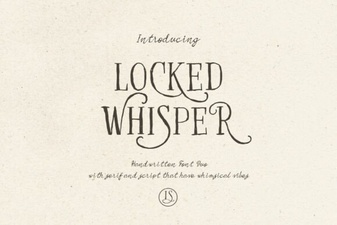 Locked Whisper Font – Elegant Script Typeface for Creative Designs